
App features
Built with AI to help you track spending, uncover insights, and truly understand your money effortlessly.
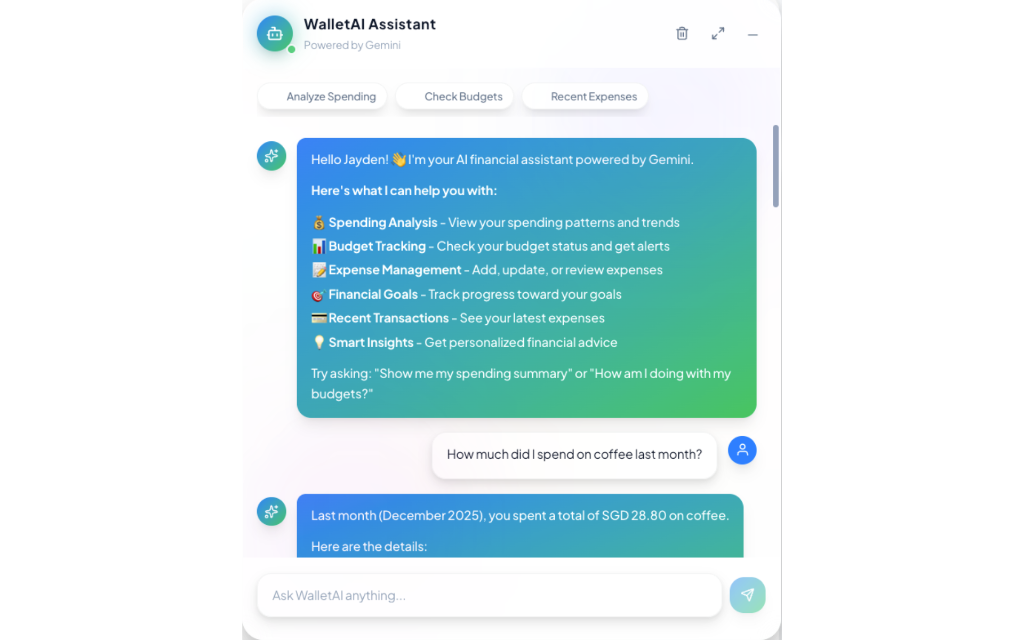
AI Assistant
Ask questions in human language. "How much did I spend on coffee last month?" or "Compare my grocery and dining expenses for past 6 months." The AI queries your data and responds with insights within seconds.
- • Discover your spending habits and gain actionable insights
- • Instantly generate charts from your text requirement
- • Supports multiple languages
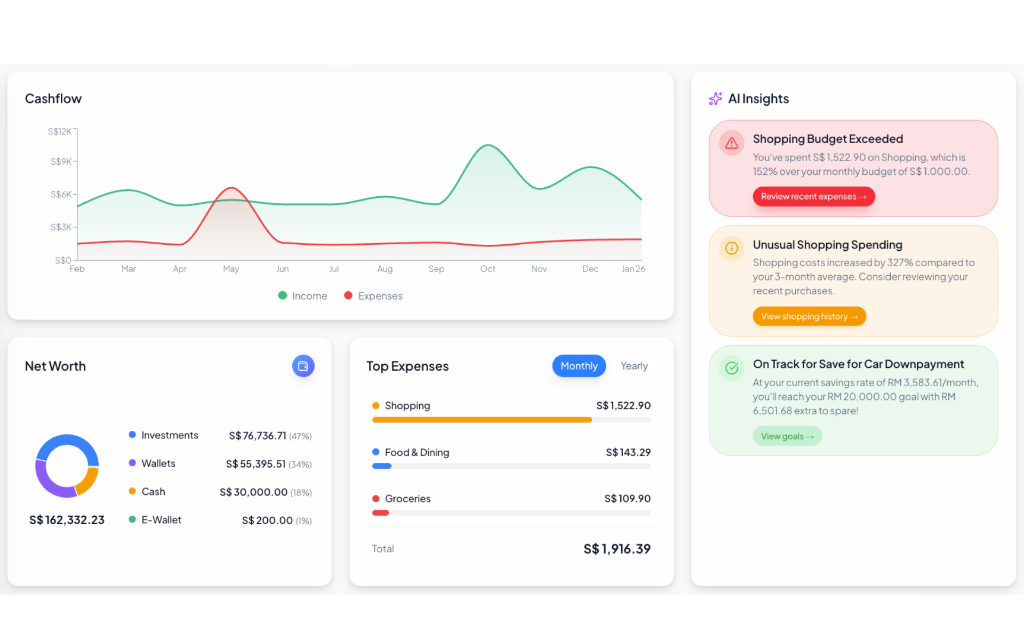
Dashboard
AI insights reveal abnormalities in your finances, with beautiful charts showing cash flow, net worth, and spending habits — all in one view.
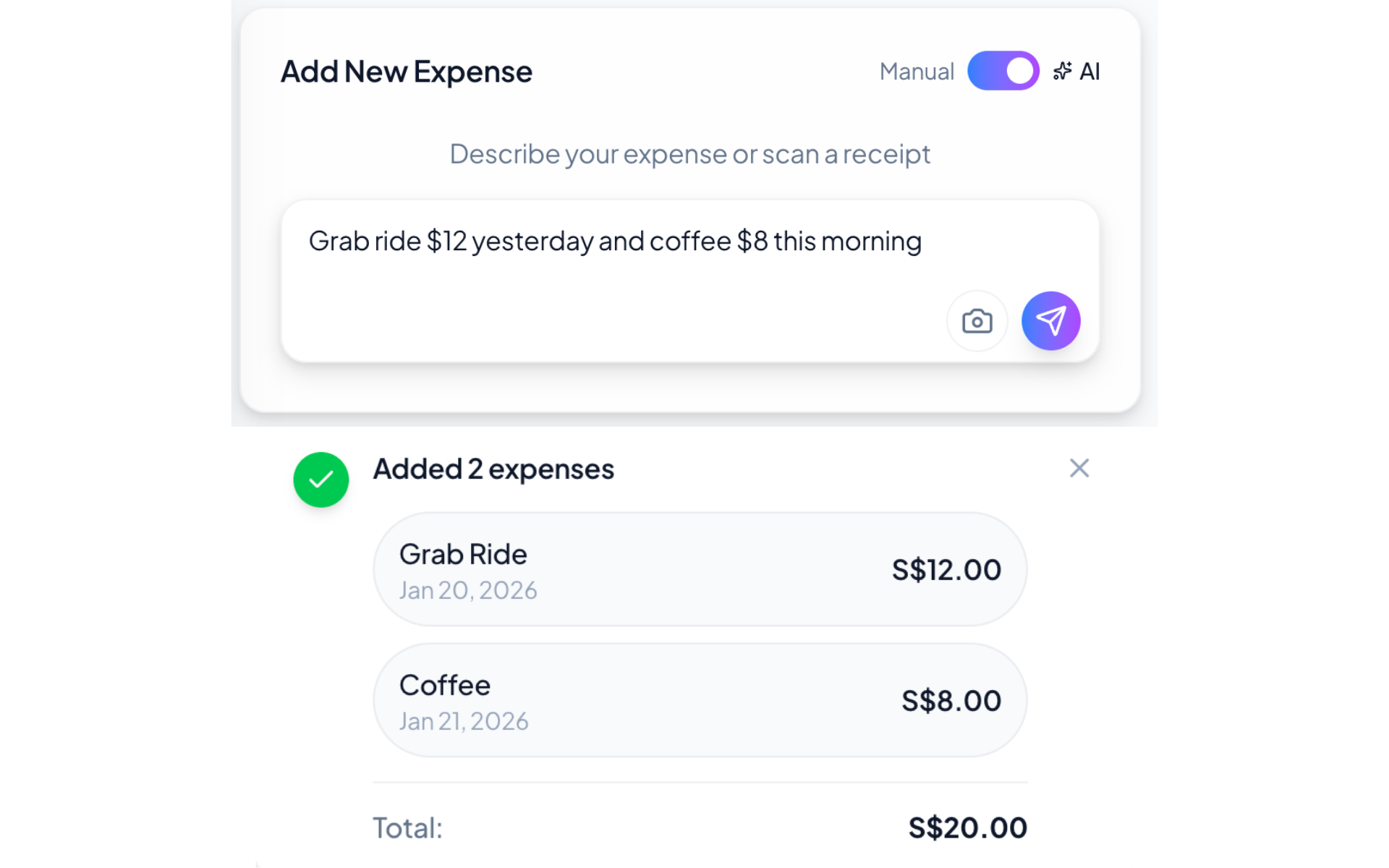
Smart Input
Enter multiple expenses in natural language — like "Coffee $5, Grab Ride $12" — and AI will auto-categorize them. You can also scan receipts to add expenses instantly.
Document Q&A
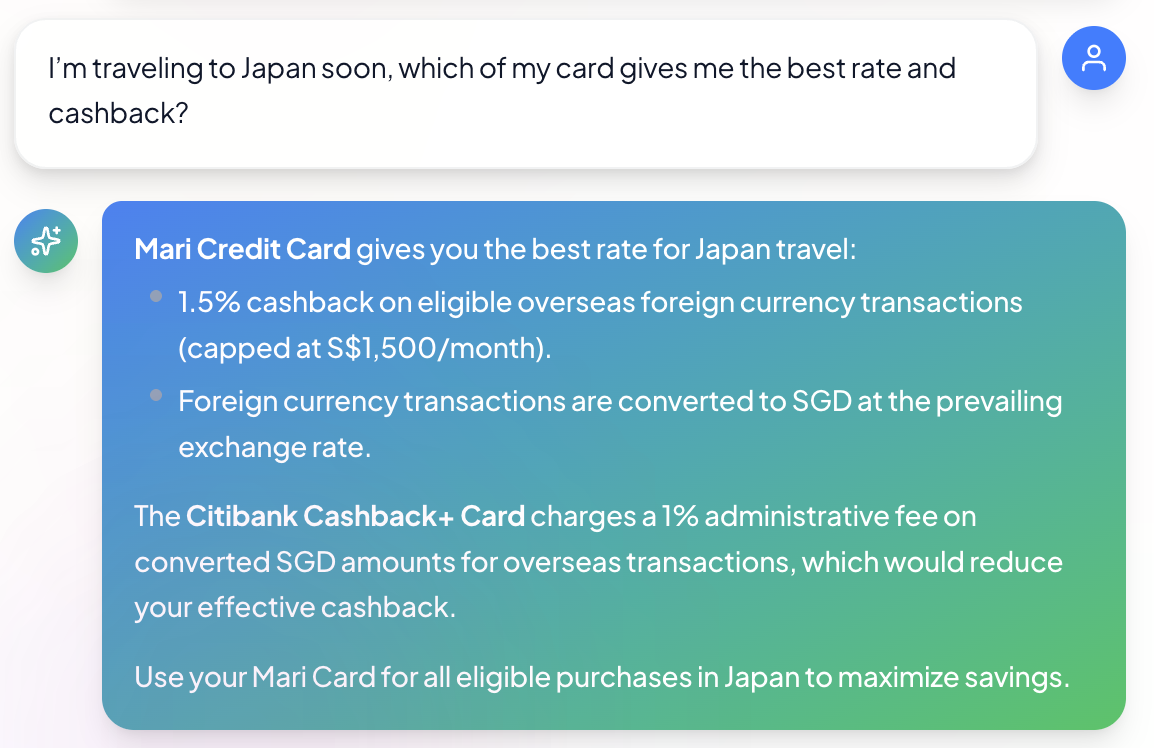
Upload your financial PDFs — credit card T&Cs, insurance policies, loan agreements — and ask questions in natural language. The AI uses RAG (Retrieval Augmented Generation) to search through your documents and provide accurate, sourced answers.
- "What's the cashback rate for overseas spending on my card?"
- "Does my travel insurance cover trip cancellation?"
- "What are the late payment fees for my credit card?"
Also includes:
Technical Overview
A breakdown of the architecture, technologies, and engineering decisions behind WalletAI.
Tech Stack
App Router, Server Actions
Hooks, Context API
Strict type safety
PostgreSQL, Auth, RLS
Function calling, Vision
CSS variables, Dark mode
Dynamic data viz
Edge deployment
AI Function Calling (16 Functions)
The AI assistant uses Gemini's function calling to execute structured database queries from natural language. Each function has typed parameters and returns formatted data.
Data Retrieval
get_expenses — Query with date/category filters
get_income — Income by source and period
get_budget — Budget status and limits
get_subscriptions — Recurring payments
get_portfolio — Investment summary
get_holdings — Stock/crypto positions
get_assets — Net worth calculation
Actions & Analysis
create_expense — Add from natural language
create_budget — Set spending limits
delete_expenses — Remove transactions
get_spending_summary — Period analysis
semantic_search — AI-powered fuzzy search
generate_chart — Dynamic visualizations
Document RAG
get_documents — List uploaded documents
search_documents — Vector similarity search
Uses gemini-embedding-001 model to generate 768-dim vectors for semantic matching
System Architecture
Security
- • Row-Level Security (RLS) — Data isolation at DB level
- • JWT Auth — Supabase session management
- • Service role keys — Server-only operations
Performance
- • Edge caching — Stock prices cached 15min
- • Optimistic UI — Instant feedback
- • Lazy loading — Charts render on demand
AI Features
- • Document RAG — Vector search on uploaded PDFs
- • Chart generation — Retrieve and visualize data
- • Receipt OCR — Extracts data from receipt
- • Auto-categorization — Expenses type classification
Database Design
All tables enforce RLS policies. Foreign keys link to user_id from Supabase Auth. Document chunks store vector embeddings for RAG similarity search.
Try it yourself
Demo account has sample data to explore. Or grab the source and run it locally.